The first part of this series delved into the basics of the creation and configuration of AOT Queries. Throughout this post, we will be going into a bit more detail on the more complex functionalities of AOT Queries.
Complex Query Ranges
In most scenarios, a query comes with a set of criteria which should be used to filter data. AOT Queries already offer basic functionality, but more complex filtering has to be configured in a different way in order be able to achieve the required results.
Throughout F&O that are some classes which are designed to create queries specifically for this purpose. These cover the most basic scenarios such as empty strings and date ranges. The two most used classes are the SysQuery and SysQueryRangeUtil classes. Taking a look at the SysQueryRangeUtil, we can see that this class offers several methods which are designed to cater for the most common filtering scenarios.
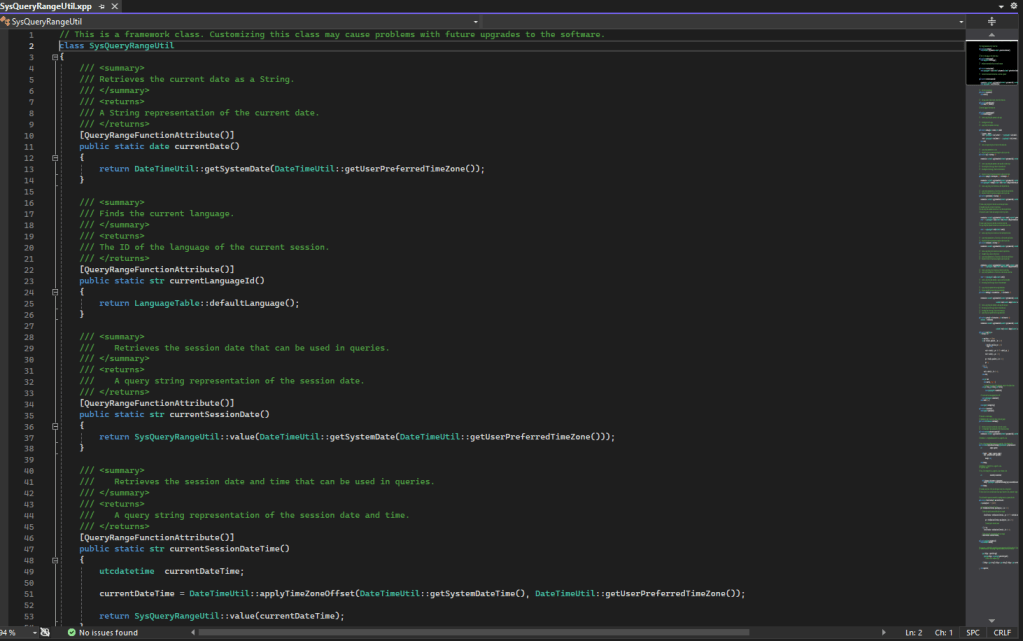
It is important to note that all the methods that are included within this class have the [QueryRangeFunctionAttribute()] decorator. Only methods which have this decorator can be used in a query range’s Value property.
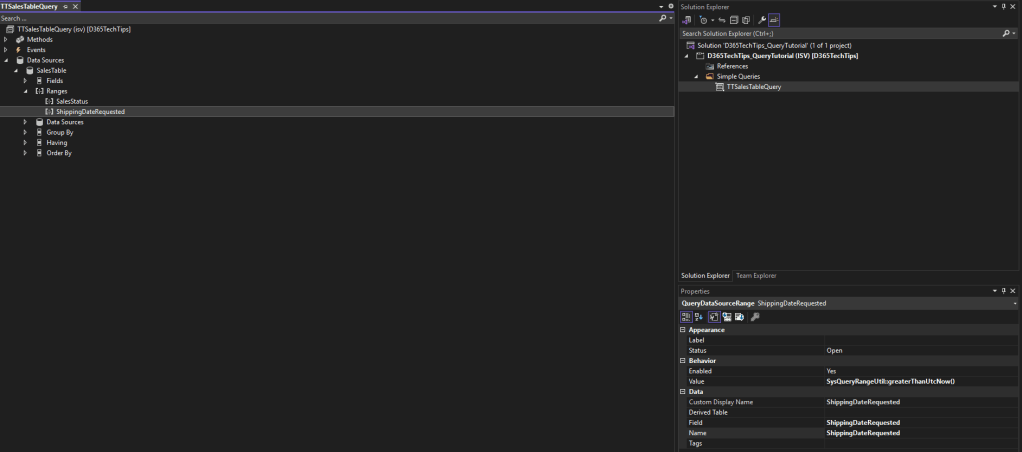
In order to use these, we can call the static methods in this class which will result in a condition in the proper format. In the next screenshot we can take a look at how to call these methods from the range’s Value property.
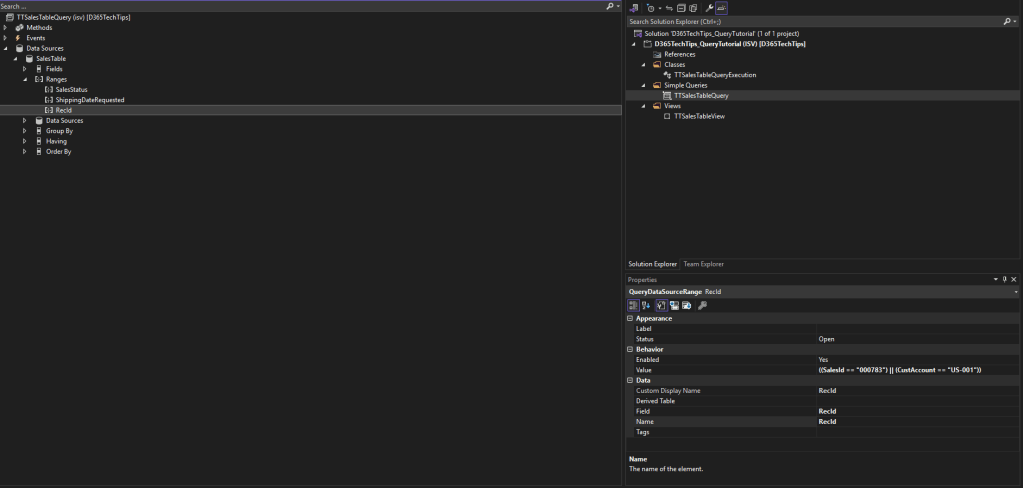
Another functionality that can get complex to create through AOT Queries is an OR condition based on different fields. As we have mentioned in the previous part of this blog series, the default behaviour for multiple ranges on the same datasource is to perform an AND condition. So, how can we perform an OR condition?
The first step is to create a ‘placeholder’ range. This means that the actual range will not be set on this field but, the range fields will be determined at runtime using the range value. The next step is to define the ranges on the different fields in the Value property of previously created range within brackets:
Using queries through code
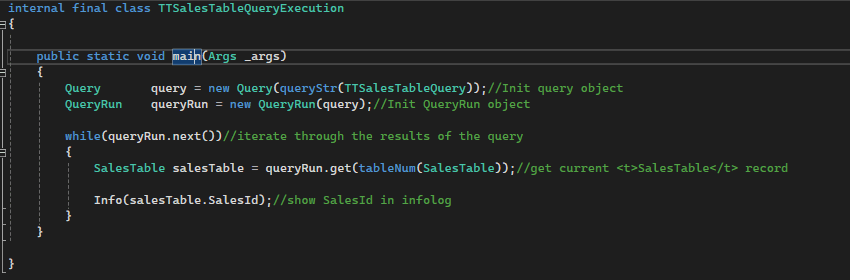
As has been mentioned in the previous blog post, one of the benefits of using AOT Queries is that these can also be referenced in X++ code. In order to do this, a Query object must be initialised from the AOT Query element. This is done executed using the QueryRun class. An example of how this can be performed can be found below.
Query Behaviour with Valid time state tables
It is important to note that AOT Queries do not have the functionality to filter on the ValidFrom and ValidTo fields using the validTimeState keyword. In order to utilise this functionality, this logic has to be added through code. Before initialising the QueryRun object which executes the query, the following line of code must be added:
query.validTimeStateTimeRange(_dateFrom, _dateTo)
where _dateFrom and _dateTo are the dates which filter the data using the ValidFrom and ValidTo fields.
In this case, the table which is being referenced uses a datetime field for its ValidFrom and ValidTo fields. There are several other methods that can be used for this which handle both the scenarios of using date or datetime values for the Valid time state tables, all of which can be accessed through an instance of the Query class.
Throughout this post we have been through some more complex subjects related to AOT Queries, where we have seen how to create complex query ranges, the behaviour with validtimestate keys as well as how use an AOT Query through code. The combination of these two blog posts should encapsulate most functionalities that an F&O developer is expected to know and use in their development tasks.
 d365techtips
Leave a comment